Sadly, a problem has shown up with my EX-ZR200. Fortunately, it's a minor problem and doesn't affect picture taking:
Sometimes, right button presses are interpreted as left button presses. How weird.

Showing posts with label casio. Show all posts
Showing posts with label casio. Show all posts
10 October, 2012


05 July, 2012
Casio Exilim EX-ZR200 - Best Shot
"Best Shot" is Casio's name for scene modes, although to me it sounds more like bracketing or burst shooting. The Best Shot modes available on the ZR200 are:
It's odd that the modes available can't be found anywhere, I thought they'd be listed as a feature - some cameras advertise how many scene modes they have. Before I got this camera, I thought only Sony had a food (gourmet) mode. I was also wondering if cameras had a "scanner" mode. This has one for text, but it only boosts contrast, it doesn't correct for perspective. Take note, I assumed this camera had a miniature effect / tilt-shift mode, but it doesn't.
On the whole, I'm surprised by how many modes this camera has, and some of them seem very useful.
It's nice that Casio has used the high speed of this camera for modes besides burst shooting and high speed video. In several modes, the camera takes several shots quickly and combines them to make a picture. This is better than a long exposure in some situations, since a few short exposures is less likely to be affected by camera shake. (combining several short exposures is also used in astronomy) In particular, this is used in:
- High Speed Night Scene
- High Speed Night Scene and Portrait
- High Speed Anti Shake
- Blurred Background
- Wide Shot
- High Speed Best Selection
- Lag Correction
- Child CS
- Pet CS
- Sports CS
- Child High Speed Movie
- Pet High Speed Movie
- Sports High Speed Movie
- Portrait
- Scenery
- Portrait With Scenery
- Children
- Sports
- Candlelight Portrait
- Party
- Pet
- Flower
- Natural Green
- Autumn Leaves
- Soft Flowing Water
- Splashing Water
- Sundown
- Fireworks
- Food
- Text
- Collection
- Auction
- Prerecord (Movie)
- For YouTube
It's odd that the modes available can't be found anywhere, I thought they'd be listed as a feature - some cameras advertise how many scene modes they have. Before I got this camera, I thought only Sony had a food (gourmet) mode. I was also wondering if cameras had a "scanner" mode. This has one for text, but it only boosts contrast, it doesn't correct for perspective. Take note, I assumed this camera had a miniature effect / tilt-shift mode, but it doesn't.
On the whole, I'm surprised by how many modes this camera has, and some of them seem very useful.
It's nice that Casio has used the high speed of this camera for modes besides burst shooting and high speed video. In several modes, the camera takes several shots quickly and combines them to make a picture. This is better than a long exposure in some situations, since a few short exposures is less likely to be affected by camera shake. (combining several short exposures is also used in astronomy) In particular, this is used in:
- night shooting
- HDR
- panorama
- blurred background
17 June, 2012
Casio Exilim EX-ZR200 - Resolution Test
I think compact digital cameras suffer from "pixel inflation" - increasing pixel count without increasing detail. It also results in unnecessarily large file sizes. I'm testing the useful resolution of the ZR200.
 This is my test setup.
 5 megapixels, normal quality. Image size about 2 MB.
 16 megapixels, fine quality. Image size about 10 MB. I tried to display both images at the same size.
Although the 16 MP image is slightly clearer, I don't think it's enough to justify the 5x image size, so I'll stick with 5 MP.
These images have been cropped, so their quality is slightly reduced. Do not compare at high zoom. Cropping was only done to the bottom of the image, so the noticeboard occupies the entire width of all the images.
 ZR200 16 MP fine. ISO 200 exposure 1/20 seconds. Original size 4608x3456 8.8 MB.
 ZR200 5 MP normal. ISO 200 exposure 1/25 seconds. Original size 2560x1920 1.9 MB
 iPhone 4 ISO 125 exposure 1/15 seconds. Original size 2592x1936 1.9 MB
Since the 16 MP image has more pixels in the same area (e.g. one of the coupons), I couldn't decide whether to compare them at 1:1 pixel size or actual size. In the end I resampled the 5 MP images to twice the pixels (using nearest neighbour, so essentially making the pixels bigger). This resulted in slightly more pixels for the same area than the 16 MP image. This may not be the best way, but by stating my method I hope it lets people compare what I've done.
The comparison images were cropped to at most 800 pixels wide so they'd fit in this site, and saved at the highest quality JPG (12 in Photoshop Elements).
 Comparison of coupon in the centre of the image.
 Comparison of bottom right of black poster.
Although all pictures are 1:1 pixels, some pixels can be seen in the 5 MP images. This is due to the pixel doubling. The 5 MP images are also slightly larger than the 16 MP image.
The first thing to notice is the 16 MP image is the clearest, as expected. At least there's a point to using the maximum quality if necessary.
The second thing is, quite interestingly, the 5 MP image from the ZR200 is clearer than from the iPhone 4, which is also 5 MP, even though both are about the same file size. So there's an advantage to using a dedicated camera, and the iPhone's camera still has room for improvement. Also, same number of megapixels and file size doesn't mean anything.


Although the 16 MP image is slightly clearer, I don't think it's enough to justify the 5x image size, so I'll stick with 5 MP.
17 June 2012
Ok there were some uncertainties with the previous test setup, namely I didn't fix the ISO. So here's an improved attempt. This time, I'm testing the iPhone 4 as well.These images have been cropped, so their quality is slightly reduced. Do not compare at high zoom. Cropping was only done to the bottom of the image, so the noticeboard occupies the entire width of all the images.


Zooms of selected portions of images
These were taken from the original, uncropped images.Since the 16 MP image has more pixels in the same area (e.g. one of the coupons), I couldn't decide whether to compare them at 1:1 pixel size or actual size. In the end I resampled the 5 MP images to twice the pixels (using nearest neighbour, so essentially making the pixels bigger). This resulted in slightly more pixels for the same area than the 16 MP image. This may not be the best way, but by stating my method I hope it lets people compare what I've done.
The comparison images were cropped to at most 800 pixels wide so they'd fit in this site, and saved at the highest quality JPG (12 in Photoshop Elements).
Comparison of coupon in the centre of the image. Although all pictures are 1:1 pixels, some pixels can be seen in the 5 MP images. This is due to the pixel doubling. The 5 MP images are also slightly larger than the 16 MP image.
The first thing to notice is the 16 MP image is the clearest, as expected. At least there's a point to using the maximum quality if necessary.
The second thing is, quite interestingly, the 5 MP image from the ZR200 is clearer than from the iPhone 4, which is also 5 MP, even though both are about the same file size. So there's an advantage to using a dedicated camera, and the iPhone's camera still has room for improvement. Also, same number of megapixels and file size doesn't mean anything.
20 May, 2012
Photos of lightning


- Most windows aren't suited for taking photos of lightning because rain falls on them and spoils the picture
- Rain also reduces visibility
- Clouds reduce visibility
- I guess the best time to take photos is with the storm approaching you, before it reaches
- I wish my camera could take pictures automatically, but the biggest problem is it takes about the same time as the exposure for noise reduction (meaning a 4 second exposure takes 8 seconds before you can take the next picture)


The buildings in the foreground look quite bright, but they were actually illuminated by lightning. This is what the scene looks like without lightning.

14 May, 2012
Casio Exilim EX-ZR200 - Zoom


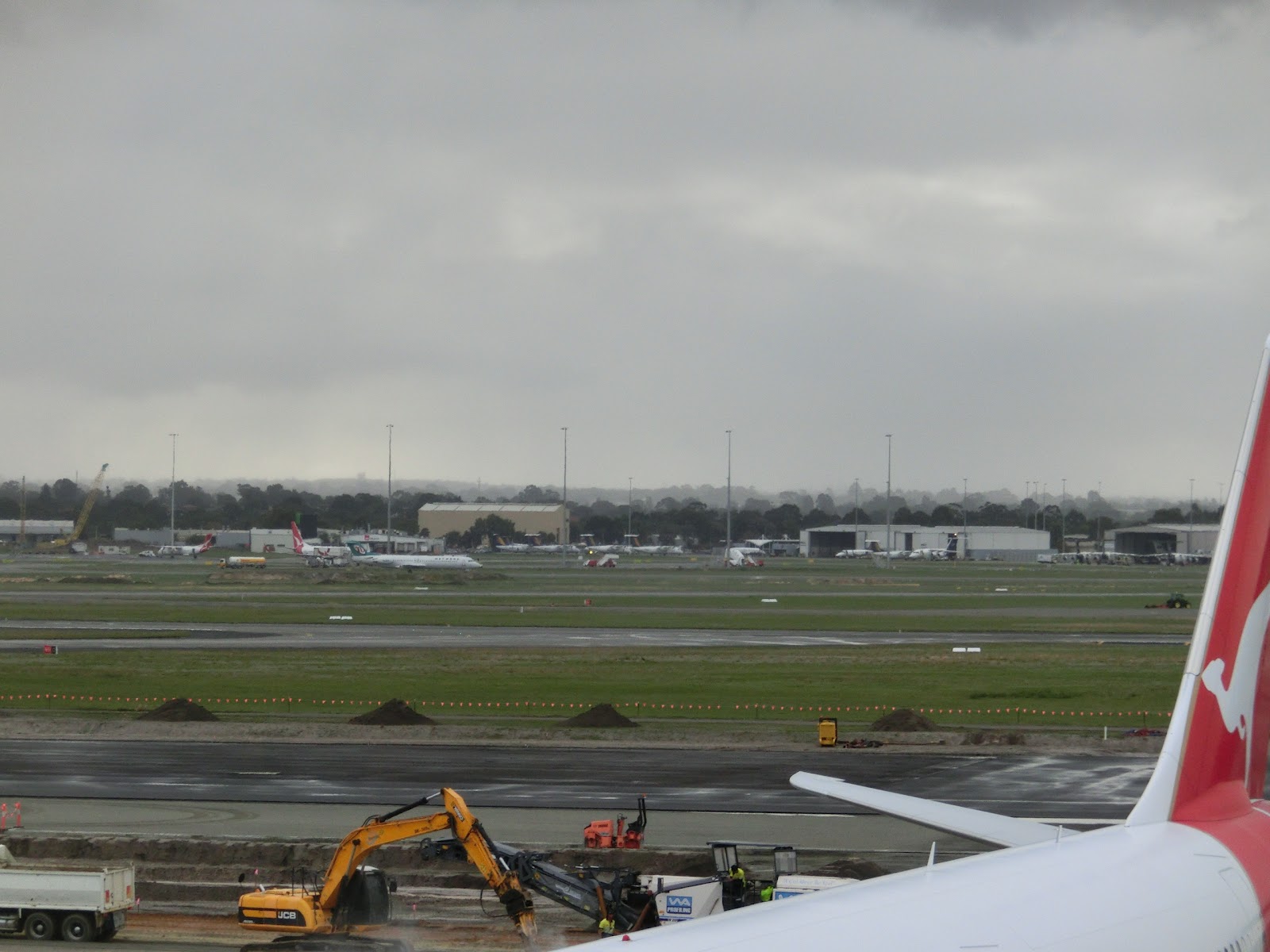
There's a rule of thumb that says at focal length x mm, the slowest shutter speed you can use is 1/x seconds before the image starts to blur. Yet this image looks ok. I think at low shutter speeds, the camera makes use of its high speed by taking several pictures and combining them, instead of one long exposure. I think this was taken in Premium Auto mode.


One of the features of the ZR200 is Multi Frame SR Zoom, which is like an advanced digital zoom. There's a difference between digital zoom on camera and on computer - on camera, the interpolation can be done before the image is compressed, so the image is potentially better. If you don't take pictures at full resolution, you can use digital zoom without losing quality. The camera increases the limits of SR zoom at lower resolutions.

24 mm focal length


Updated 8 July 2012
Ok! I finally got around to taking some pictures to test the zoom.


Still figuring out how to test the stabilisation effect of combining pictures.
13 May, 2012
Casio Exilim EX-ZR200 - Macro

 |
| Actual pixels crop of above picture |

Casio Exilim EX-ZR200 - High Speed Photo

10 May, 2012
Casio Exilim EX-ZR200 - Software
The ZR200 has plenty of settings, yet remains easy to use. Yellow points are good things I think set this camera apart from similar cameras. Red points are bad parts.
Settings
- You can set the left and right buttons (during shooting) to change focusing, metering, timer, face detection, ISO, white balance, EV shift, or nothing at all. A bit like Canon's S100 being able to configure the front ring for several things.
- The standard options like continuous AF, digital zoom are there.
- It has a triple self-timer - waits 10 seconds, then takes 3 photos. Useful for group candid shots.
- Change volume/sound for startup, half shutter and shutter, or turn them off.
- Date stamp on photos (not recommended)
- Files are stored according to DCF. I noticed cameras seemed to have the same file systems, but I didn't know there was a standard. This means you can share memory cards and open files on/from other cameras.
- You can create new folders, but you can only save images to the newest folder.
- Choose which settings to reset and which to save when you turn the camera off, such as zoom position, flash, focus type, white balance etc.
- A bit slow to change settings on manual mode, as there are no dedicated buttons. You can use the left/right buttons for changing a specific setting. The good part is fewer buttons makes the camera easier to use.
- It has manual focus, which is well implemented. When focusing, it magnifies the centre of the image for you. After you stop focusing for a while, it returns.
- I like how it uses focal length in 35 mm when zooming, instead of a meaningless multiplier. It stops at 300 mm (doesn't work with digital zoom) though
Playback
- Performance is very fast, even during zooming and panning.
- Zoom during video playback
- Add clip art to photos/videos ("Dynamic Photo"), like those photo stickers.
- Adjust brightness and white balance after taking the photo
- Some editing features like resizing, cropping, trimming/splitting videos
- Display shooting information like aperture, shutter speed, ISO, metering mode and even shooting mode
- Shows which folder an image is from, but you can't choose to display images only from a certain folder
02 May, 2012
Casio Exilim EX-ZR200 - Basics
Finally, out of the competitors and features I wanted, I've chosen my next camera. For my third camera, I've decided on the Casio Exilim EX-ZR200. This camera has a unique feature - high speed video recording.

S100


 The right one is the Exilim's USB plug, and on the left is the standard USB plug. Testing macro mode. The USB port also functions as an AV port, so using a proprietary plug is understandable. It still makes me nervous relying on one cable for charging though.
 It has dedicated buttons for start/stopping movie recording and turning high speed mode on/off. The photo button doesn't seem to do much except turn the camera on or switch to shooting mode (which you can do with the on/off button and half-pressing the shutter, respectively). You can set the photo and playback buttons to do nothing, turn the camera on, or turn the camera on and off.
 When fully extended, the 12.5x zoom lens protrudes almost twice the thickness of the body.

 The modes on the Mode Dial are, clockwise from current mode:
I'm splitting this review into several parts to post anything on time.

Introduction
Casio's siteFeatures
Not a complete list, these are the features that attracted me- High speed startup
- High speed burst mode - 30 fps
- High speed picture cycling
- High speed video mode - up to 1000 fps (at reduced resolution)
- Long zoom - 12.5x
- Long battery life - 480 shots
- USB charging
- Wide angle and macro lens
Competition
For me, it was down to this camera or Canon's S100. In the end, I thought this camera was good enough.S100
- Higher image quality
- Higher ISO - 6400
- GPS
- Cheaper
- Faster
- Longer battery life
Availability
This is supposed to be Casio's flagship camera of 2012, yet it's quite hard to find. Some stores sell other Exilims, but not this one. You'd think the flagship model would be the most available. If you decide on this camera (or any Casio camera really), I advise you to get it at one of the technology shows, at the last one this camera came with a bundle of gifts and another video camera for free!Other reviews
There aren't many reviews of this camera. Maybe it's not popular enough. Hopefully this review will help. A good reference is http://www.digitalcamerainfo.com/ - they don't have a ZR200 review, but they have a ZR100, and there's not much difference between the 2 cameras. They also have a review of the S100 if you want to compare. http://www.digitalversus.com/digital-camera/casio-exilim-ex-zr200-p12580/test.html has a good, to-the-point review.
External

Package contents
- Camera
- Battery
- AC to USB adapter and power cable (I wonder if it has the intelligence to charge, say, an iPhone?)
- USB cable (proprietary)
- Basic reference guide (like quick reference guides)
- Hand strap

Body
The ZR200 is quite big, for a compact camera. It's actually slightly bigger and heavier than the S100. It seems quite solidly built. The shutter button is oriented flat, but the mode dial is tilted slightly towards the user.


LCD
3", 960x480 = 460,800 pixels. By my calculations, that's 358 ppi - enough to be considered a Retina display. Maybe I'm fooling myself, but I think I still can see the pixels. The viewing angle is very good. There is also an automatic brightness mode for the LCD, which works quite well.Mode Dial

- Auto
- Premium Auto Pro (this analyses the picture and guesses what scene mode to apply. The modes it chooses don't seem to come from those you can choose in Best Shot. Sometimes it works, sometimes it doesn't. Best not to use if you're in a hurry. This mode also optionally applies a "make-up" filter to faces. Seems to use HDR sometimes. Face detection not so good.)
- Best Shot (this is just like scene modes in other cameras. There are some interesting ones.)
- Slide Panorama (stitches photos together to make a panoramic image. Sony has a better, 3D version)
- Multi SR Zoom (this is an interesting feature. Optical zoom goes up to 12.5x, but by taking several pictures and combining them together, this allows you to zoom in 25x without affecting image quality, and up to 50x. Going to write a full post on this.)
- Manual Mode (I think including manual mode shows they're targeting this camera at those who know a bit more about photography)
- Shutter Priority
- Aperture Priority
- HDR Art
- HDR
I'm splitting this review into several parts to post anything on time.
Subscribe to:
Posts (Atom)